|
|
FILE SPECIFICATIONS
|
| |
|
|
 |
Name: |
Welcome |
| Filename: |
WELADD36.EXE |
| File Size: |
3.0 Megabytes |
| Version: |
3.6 |
| Author: |
Cedesta Systems |
| Release Date: |
December 7th, 2018 |
| Certified? |
 |
| Cost: |
FREE |
|
|
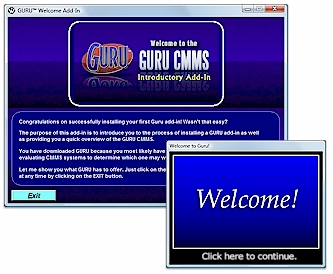
Start off your Guru experience by downloading
and installing the Welcome add-in. This add-in will not only introduce you to the ease of adding functionality
to your system, but will also bring you up to speed on some of features available for Guru CMMS.
Includes the following
features:
· Overview
of features and concepts regarding the Guru CMMS.
 Click here to view images of the application. Click here to view images of the application.
DOWNLOADING INSTRUCTIONS:
The file that you
will download is called WELADD35.EXE. This is your setup program.
INSTALLATION INSTRUCTIONS:
·
Once you have downloaded the setup program, run it and follow the installation instructions.
· The installation program will install the system files, including the .GAM file
required to add to your console.
· From the GURU console, click on SYSTEM, and then INSTALL ADD-IN. A new dialog
box will appear.
· Click on BROWSE and select the IDENTIFY.GAM file that you just downloaded and
then click on OK.
· A confirmation message should now appear stating the add-in was successfully installed.
Click OK to close.
· From the console, click on APPLICATIONS. You should now see the new add-in you
just installed.
· Just double-click on the WELCOME add-in to start!
 |